Pluto TV: Advantages, Uses, and How to Get Started with This Free Streaming App
Not every streaming app needs a monthly bill attached to it. Pluto TV proves that point well, delivering hundreds of live channels and a solid on-demand movie library without asking for a single dollar. It feels less like a typical app and more like flipping through cable, except nothing here costs anything.
What Makes Pluto TV Stand Out
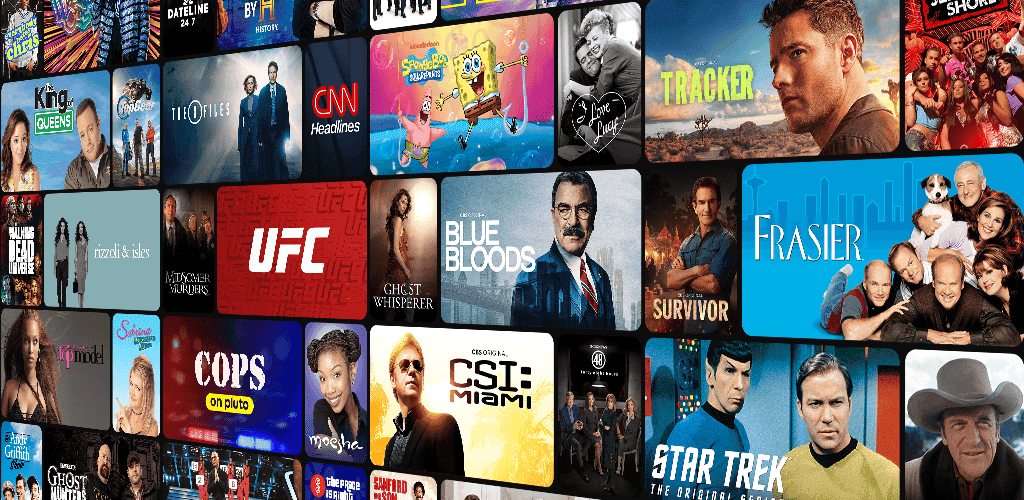
Most free streaming apps lean entirely on-demand, but Pluto TV takes a different route. It runs live, scheduled channels the same way traditional TV does, covering news, comedy, true crime, sports highlights, and classic movies. Anyone who grew up channel-surfing will recognize the format instantly, and that familiar rhythm is part of the appeal.
A built-in program guide (EPG) shows what’s airing now and what’s coming next, so planning a viewing session takes seconds. Pair that with an on-demand section for movies and shows, and the app covers both spontaneous channel-flipping and deliberate, pick-a-title viewing.

Advantages Worth Knowing About
A few things set Pluto TV apart from other free options:
- A genuinely large live channel lineup. International news, sitcoms, kids’ programming, and niche genre channels all sit in one place, curated rather than scattered across random sources.
- No viewing caps. Watch for ten minutes or ten hours; nothing throttles or locks the experience after a set time.
- Wide device support, covering smart TVs, Roku, Fire TV, Android, iOS, and major game consoles like PlayStation and Xbox.
- Consistent international availability. Unlike some free platforms that shrink drastically outside the US, Pluto TV maintains a fairly steady channel selection across regions.
Compared to Tubi, which puts almost all its weight behind on-demand titles, Pluto TV’s real strength sits in live programming. Anyone who wants real-time news or a casual background channel, rather than actively choosing a title every time, will likely lean toward Pluto TV first.
What Pluto TV Is Actually Useful For
Beyond casual movie nights, the app fits a few specific situations well:
- Background viewing while working or cooking, since live channels keep playing without constant input.
- Catching up on news through dedicated international news channels, without switching between multiple apps.
- Discovering older films and shows that rarely appear on paid platforms, since Pluto TV’s catalog leans heavily on classic and cult titles.
- Watching with family, thanks to channels split by genre, including kid-friendly options that don’t require manual filtering.
Step-by-Step: Getting Started with Pluto TV
Setting it up takes only a few minutes:
- Download the app from the Play Store or App Store, or install it directly on a supported smart TV, Roku, or Fire TV device.
- Open the app immediately; browsing channels doesn’t require creating an account.
- Tap “Live TV” to scroll through channel categories, or use the on-demand section for a specific movie or series.
- Create a free account if you’d like your favorite channels and watch history to sync across devices.
- Use a stable Wi-Fi connection, especially while watching live channels, to keep buffering to a minimum.
Ads do appear periodically, since Pluto TV runs on an AVOD model, meaning advertising covers the cost instead of a subscription fee. The interruptions stay relatively short and predictable, especially next to the ad-heavy chaos found on unofficial streaming sites.
Choosing the Right Free App for Your Needs
Not every free streaming service fits every situation. A few points worth checking before settling on one:
- Licensing matters. Pluto TV, Tubi, and Plex all operate legally, unlike pirated sites that carry real security risks.
- Server stability counts more for live-streaming apps like Pluto TV, since heavy traffic can occasionally cause buffering.
- Regional content availability varies, so it’s worth checking which channels actually show up in your country.
- Interface familiarity helps too — anyone unfamiliar with an EPG-style guide might need a short adjustment period.
Final Thoughts
Pluto TV works best for anyone who misses the feel of traditional TV but still wants the flexibility of streaming. Hundreds of live channels, paired with a respectable on-demand library, make it one of the more complete free options available in 2026. The occasional ad break is a small trade-off compared to a monthly subscription fee. Pairing it with Tubi for on-demand variety rounds out a genuinely solid, cost-free entertainment setup.