Dazz Cam Explained: The Vintage Camera App Turning Phones Into Film Cameras
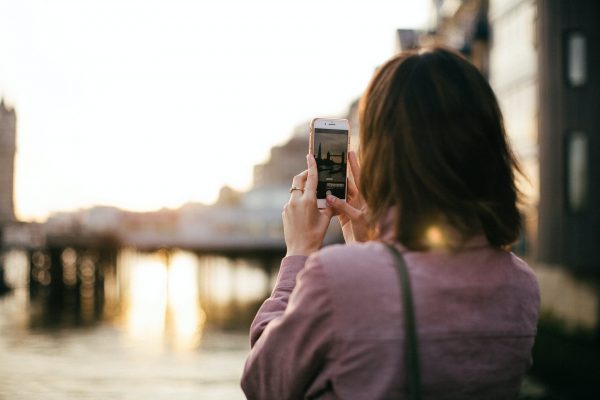
Everyone’s feed went through a phase where every photo suddenly looked like it came out of a disposable camera from 1994. Dazz Cam is one of the apps quietly driving that shift. Instead of editing a photo after the fact, it recreates the color science of real film stock right as the shutter clicks, so the grain, the light leaks, and the slightly faded tones all show up in a single tap.
The app draws its inspiration from classic film cameras of the 1980s, and its team actually sampled real film stock to rebuild those colors and textures digitally. That detail matters — it’s the reason Dazz Cam photos tend to look more convincing than a generic Instagram filter slapped over a modern shot.

What Dazz Cam Actually Does
At its core, Dazz Cam works like a camera app first and an editor second. You pick a “camera” — each one modeled after a specific format like 135 film, 120 film, a toy camera, slide film, or a disposable camera — and the app processes what you shoot through that simulated lens and film stock in real time. Nothing waits for post-processing; the vintage look appears the moment you press the shutter.
Video gets the same treatment. Formats like 8mm film, 16mm film, VHS tape, and even old movie-camera and slide-projector styles turn ordinary clips into something that feels pulled from a family archive.
Tools Built Into the App
A handful of features go beyond the basic filter-and-shoot loop:
- Multiple film and digital profiles – switch between film simulations or modern digital looks like CCD and compact camera color profiles.
- Double exposure – layer two photos together for a more artistic, experimental result.
- Negative reprocessing – save the “negative” of a shot and reprocess it later with different exposure or color temperature.
- Fisheye, starburst, and prism lenses – built-in optical effects that don’t require a separate filter app.
- Manual controls – adjust ISO, shutter speed, exposure compensation, and color temperature for more precise shots.
- Composition grids and stabilization – small tools that make it easier to nail framing before the filter even kicks in.
- Import and edit existing photos – apply the same film effects to images already sitting in your camera roll, not just new shots.
Most of these tools stay accessible without digging through nested menus, which keeps the app from feeling like a professional editing suite.
Why People Keep Coming Back to It
The biggest advantage is speed. Nobody wants to run a photo through five different apps just to get a grainy, warm-toned result — Dazz Cam gets there in one tap, and that convenience is exactly why so many creators keep it pinned on their home screen. The variety also stands out: dozens of camera and film simulations cover everything from muted travel-photography tones to high-contrast, noir-style black and white.
Compared with similar apps, Dazz Cam leans harder into authenticity than most. Where a lot of retro filter apps apply a flat overlay, Dazz Cam’s simulations account for how specific film stocks actually rendered color and grain, which explains why its results hold up even under close inspection.
Who Should Use Dazz Cam
- Content creators and influencers who want a consistent vintage aesthetic without heavy editing
- Anyone documenting parties, trips, or everyday moments who wants that nostalgic film look on the spot
- Photography hobbyists curious about analog aesthetics without buying an actual film camera
- Social media users building a cohesive retro feed across Instagram, TikTok, or Pinterest
How to Download and Use Dazz Cam
- Download the app from the App Store or Google Play — it’s free to install, with optional in-app purchases for extra cameras and filters.
- Open the camera view and browse through the available film and digital camera presets at the bottom of the screen.
- Pick a camera that matches the look you’re going for — 135 SR for a classic 35mm feel, or something more experimental for a moodier result.
- Adjust settings if needed, like ISO, exposure, or color temperature, before shooting.
- Take the photo or video — the vintage processing applies instantly, no extra editing step required.
- Save both versions. Turning on the option to keep the original alongside the filtered shot gives you a fallback if you ever want to re-edit it differently later.
- Export and share directly to social platforms, tagging your favorite filter if you want feedback from the app’s community.
Most people find their favorite two or three cameras within the first week and stick with them for most of their shots after that.
Final Thoughts
Dazz Cam isn’t trying to replace a full photo editor — it’s solving a much narrower problem: getting an authentic film look without touching a single slider after the shot. For anyone chasing that nostalgic, analog feel on a modern phone, that one-tap simplicity is exactly what makes the app worth keeping around.
Download:
- App Store: https://apps.apple.com/us/app/dazz-cam-vintage-camera/id1422471180
- Google Play: search “Dazz Cam” on the Play Store