
Tubi: The Best Free Streaming App for Watching Movies Without a Subscription in 2026
Looking for something good to watch without paying a monthly subscription? Tubi might be the answer. This app has long stood out as one of the most complete free video platforms around, and heading into 2026 it’s still hard for competitors to knock it off that spot. Thousands of movies and shows sit there ready to stream at zero cost, all you need is an internet connection and a bit of patience for the occasional ad break.
Why Tubi Is Worth Trying
Tubi runs on an AVOD model (Advertising-Based Video on Demand), meaning ads fund the whole library instead of viewers’ wallets. The idea sounds simple, but the impact is huge: anyone can watch Hollywood films, documentaries, or cult classics without ever entering credit card details.
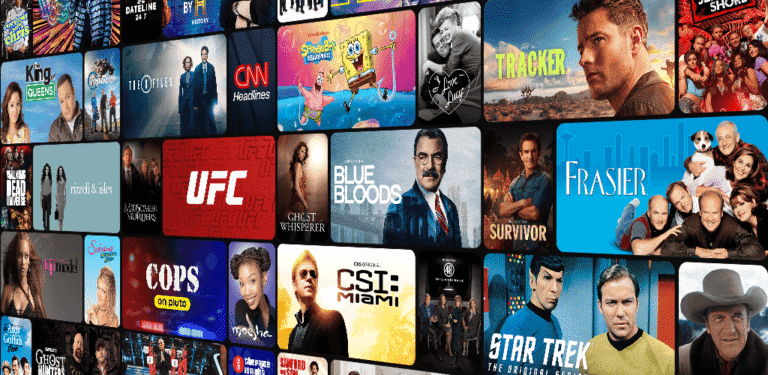
The catalog is surprisingly deep for a free service. Horror, comedy, family drama, and indie films that rarely show up on paid platforms all live here. Tubi’s team also refreshes the collection weekly, so boredom rarely sets in for regular users.

What Sets Tubi Apart From Similar Apps
A few things give Tubi an edge over its competitors:
- No mandatory sign-up — movies play instantly without creating an account, though an account is still worth setting up to save your watch history.
- Picture quality up to 4K on select titles, depending on your device and connection.
- Broad multi-platform support: Android, iOS, Roku, Fire TV, Apple TV, PlayStation, Xbox, and most built-in smart TV apps.
- Personalized recommendations based on viewing habits, so the homepage feels more relevant the longer you use it.
Compared to Pluto TV, which leans heavily on live, cable-style channels, Tubi’s strength is its on-demand system — viewers pick a title whenever they want instead of following a broadcast schedule. Amazon’s Freevee, meanwhile, has a noticeably thinner catalog outside the US, while Tubi tends to keep a more consistent library across regions.
How to Use Tubi Comfortably
The app downloads for free from the Play Store or App Store, and it opens without any complicated login process. A few tips for a smoother viewing experience:
- Create an account (optional) so your watch history syncs across devices.
- Turn on “Continue Watching” so anything left unfinished picks up right where you stopped.
- Use a stable Wi-Fi connection to avoid buffering when ads cut back to the main content.
- Search with specific keywords, since genre categories can be too broad to browse manually.
Ads are impossible to avoid entirely on a free app like this. That said, Tubi’s ad breaks are fairly reasonable, usually around two to three minutes for a two-hour film. By comparison, some other free apps interrupt far more often, breaking up the story a lot more.
Tips for Choosing the Right Free Video Player App
Not every free streaming app is built the same way. Here’s what to weigh before picking one:
- Content legality: stick to apps with proper licensing, like Tubi, Pluto TV, or Plex, rather than pirated platforms that carry legal and security risks.
- Ad frequency: apps that interrupt too often tend to wear on viewers over time.
- Subtitle availability: matters a lot for anyone relying on translated captions, especially for foreign films.
- Device compatibility: choose an app that works well on whatever you actually use day to day, whether that’s a smart TV, tablet, or phone.
The 2026 trend shows more free platforms racing to improve streaming quality and cut down on ad interruptions, with some even testing hybrid models that mix light ads with a paid, ad-free tier.
Final Thoughts
Tubi remains one of the most sensible picks for anyone who wants to watch movies without a monthly bill. The library is large, the picture quality holds up well, and using it is genuinely simple. The occasional ad is a fair trade-off compared to paying for a subscription every month. For more variety, pairing Tubi with Pluto TV or Plex makes for one of the most efficient free-watching strategies going into 2026.